Курс на Stepik
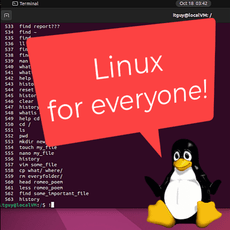
Обложка курса «Linux Command Line Basics» на Stepik
1 200 ₽

Linux Command Line Basics 5.000

Открыть на
STEPIK.ORG

Learning Linux is not just watching nicely made videos. It includes knowledge checks, tests, practice. All here!

Показатель Текущие показатели Рост
Значение 🏆 Рейтинг 3 дн 7 дн 30 дн
Количество учеников на курсе «Linux Command Line Basics»Учеников на курсе 58
Сертификаты, выданные на курсе «Linux Command Line Basics»Сертификатов выдано 23
Отзывы о курсе «Linux Command Line Basics»Отзывов получено 5
Рейтинг курса «Linux Command Line Basics»Рейтинг курса 5.000
Уроки в курсе «Linux Command Line Basics»Количество уроков 68
Тесты в курсе «Linux Command Line Basics»Количество квизов 53
Время прохождения курса «Linux Command Line Basics»Время прохождения курса
Стоимость курса «Linux Command Line Basics»Стоимость курса 1 200 ₽
Обновления курса «Linux Command Line Basics»Обновления курса
Дата публикации курса «Linux Command Line Basics»Дата публикации курса
Последнее обновление курса «Linux Command Line Basics»Последнее обновление
Сложность easy

Содержание курса

Разделы в курсе «Linux Command Line Basics» 14 разделов Уроки в курсе «Linux Command Line Basics» 68 уроков Тесты в курсе «Linux Command Line Basics» 53 теста Время прохождения курса «Linux Command Line Basics» 6 ч. Последнее обновление курса «Linux Command Line Basics» обн. 2 мая 2026

1. Intro

1 урок
Открытый
1.1 Installing Linux Ubuntu as a local virtual machine
171
171
8м 53с
4

2. Get to know the terminal

7 уроков
Открытый
2.1 Terminal tips and tricks
270
270
8м 36с
6
Закрытый
2.2 List of Linux Terminal hotkeys
34
34
3м 50с
5
Закрытый
2.3 Basic navigation commands
33
33
6м 51с
4
Закрытый
2.4 Creating files and folders
31
31
8м 35с
5
Закрытый
2.5 Basic file operations
29
29
6м 44с
4
Закрытый
2.6 Viewing files
28
21
10м 45с
5
Закрытый
2.7 Section recap quiz
32
25
1м 0с
4

3. Editing files

4 урока
Открытый
3.1 Nano. User friendly text file editor
113
39
8м 6с
4
Закрытый
3.2 Vim. The default file editor
25
19
7м 16с
3
Закрытый
3.3 Vimtutor. The vim educational tool
22
22
3м 9с
3
Закрытый
3.4 Section recap quiz
28
24
1м 40с
3

4. Files and folders

2 урока
Закрытый
4.1 Folders structure
11
11
14м 58с
3
Закрытый
4.2 Searching files
27
27
7м 52с
4

5. Recap

4 урока
Закрытый
5.1 Cheatsheet for GNU nano
23
23
2м 30с
3
Закрытый
5.2 Vim Cheat Sheet
23
23
4м 34с
3
Закрытый
5.3 Test
27
23
2м 24с
3
Закрытый
5.4 Homework
26
17
5м 50с
4

6. User management

7 уроков
Закрытый
6.1 Getting user info
10
10
7м 20с
3
Закрытый
6.2 User creation
9
9
12м 57с
2
Закрытый
6.3 Changing users
9
9
6м 6с
2
Закрытый
6.4 Root privileges, user deletion
8
8
7м 4с
2
Закрытый
6.5 Group management
7
7
3м 42с
2
Закрытый
6.6 Section recap quiz
8
6
-
2
Закрытый
6.7 Section summary
5
5
-
2

7. Access privileges (rwx)

5 уроков
Закрытый
7.1 Getting info + chmod command
6
6
10м 1с
2
Закрытый
7.2 Changing file owners
5
5
6м 15с
2
Закрытый
7.3 Special bits, default permissions
6
6
9м 41с
2
Закрытый
7.4 Section recap quiz
6
6
-
2
Закрытый
7.5 Section summary
5
5
-
2

8. Essential terminal tools

5 уроков
Закрытый
8.1 Links, iNodes
7
7
9м 22с
2
Закрытый
8.2 Input-output streams
7
7
9м 43с
2
Закрытый
8.3 Pipeline
6
6
15м 55с
2
Закрытый
8.4 Section recap quiz
6
6
-
2
Закрытый
8.5 Section summary
5
5
-
1

9. Monitoring tools

4 урока
Закрытый
9.1 top utility (task manager)
5
5
15м 21с
2
Закрытый
9.2 htop, ps, kill, systemctl utilities
5
5
13м 42с
2
Закрытый
9.3 Section recap quiz
7
6
-
2
Закрытый
9.4 Section summary
6
6
-
2

10. Software Management

5 уроков
Закрытый
10.1 apt/apt-get utility
6
6
13м 7с
2
Закрытый
10.2 dpkg, snap utilities
6
6
8м 2с
2
Закрытый
10.3 Adding a repository
5
5
11м 33с
2
Закрытый
10.4 Section recap quiz
6
6
-
2
Закрытый
10.5 Section summary
5
5
-
2

11. Task Scheduler

4 урока
Закрытый
11.1 cron service, crontab utility
5
5
12м 0с
2
Закрытый
11.2 Setting up logs, tasks for other users
5
5
11м 47с
2
Закрытый
11.3 Section recap quiz
6
5
-
2
Закрытый
11.4 Section summary
5
5
-
2

12. Working with a firewall (iptables utility)

4 урока
Закрытый
12.1 View, add, delete rules
5
5
10м 11с
2
Закрытый
12.2 Default Policies, Save Rules
5
5
12м 9с
2
Закрытый
12.3 Section recap quiz
6
6
-
2
Закрытый
12.4 Section summary
5
5
-
2

13. Bash

2 урока
Закрытый
13.1 History of creation, running scripts, shell
6
6
13м 12с
2
Закрытый
13.2 Section summary
5
5
-
2

14. Docker

14 уроков
Закрытый
14.1 Introduction, installation
7
7
6м 48с
2
Закрытый
14.2 Lesson outline
7
7
-
2
Закрытый
14.3 Command list, first container
6
6
8м 26с
2
Закрытый
14.4 Lesson outline
6
6
-
2
Закрытый
14.5 Container with documentation
8
8
7м 14с
2
Закрытый
14.6 Lesson outline
6
6
-
2
Закрытый
14.7 Nginx web server in Docker
7
7
8м 13с
2
Закрытый
14.8 Lesson outline
6
6
-
2
Закрытый
14.9 Dockerfile. Outline
6
6
5м 32с
2
Закрытый
14.10 Dockerfile. Running a Web Server
6
6
9м 58с
2
Закрытый
14.11 Lesson outline
6
6
-
2
Закрытый
14.12 Docker Compose
6
6
7м 24с
2
Закрытый
14.13 Lesson outline
5
5
-
2
Закрытый
14.14 Removing resources
6
6
4м 54с
2